Support
Email: support@hanzihabit.site
Please include your device model, iOS / iPadOS version and the app version (shown on the App Store page) so we can help faster.
Getting started
How do I drive?
Hold Gas (bottom right) to accelerate and Brake to slow down or reverse. Steer with the ◀ ▶ buttons (bottom left), or switch to tilt steering in Settings → Controls. Hold Drift through corners and tap Nitro on the straights. Your first race shows each control step by step.
How do I unlock new tracks and cars?
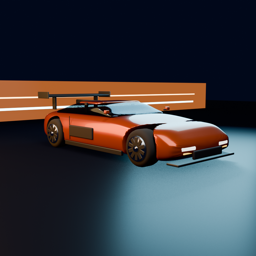
Finish in the top three to earn stars (1st = 3 stars, 2nd = 2, 3rd = 1). A podium finish unlocks the next difficulty in that world. Stars also unlock cars: the Rally car at 3 stars, the Off-Road Truck at 6 and the Hypercar at 15. Coins from races, missions, cups and daily rewards buy upgrades and styling.
Where are the reverse and alternate tracks?
On the world select screen, tap the layout picker (it shows Standard by default) next to the weather picker and choose Reverse or Alternate.
Is there anything to buy inside the game?
No. Horizon Racer is a one-time purchase with no ads and no in-app purchases. Everything is earned by playing.
Controls & accessibility
Steering feels too sensitive or too slow
Go to Settings → Controls → Steering Sensitivity and adjust between 50% and 200% (default 130%). The change applies to buttons, tilt, controllers and keyboards.
Can I make the game easier to control?
- Auto Accelerate holds the gas for you so you only need to steer.
- Control Size makes the on-screen buttons bigger.
- Left-Handed Layout swaps the pedals and steering sides.
- High-Contrast Map and Reduce Motion are under Settings → Accessibility.
Does it work with a game controller or keyboard?
Yes. Xbox, PlayStation and MFi controllers and hardware keyboards are supported. Connect the controller in iOS Settings → Bluetooth; the touch buttons hide automatically. Controller: left stick / D-pad to steer, RT or A for gas, LT or X to brake, Y to change camera, Menu to pause. Keyboard: arrow keys or WASD, Space for handbrake, Shift or N for nitro, C for camera.
Progress, Game Center & sharing
Is my progress saved? Will it move to a new device?
Progress is saved automatically on your device. It is included in your normal iCloud or computer backup, so restoring a backup to a new device brings it with you. There is no separate online account.
How do I start over?
Settings → Reset Progress. This permanently erases stars, coins, cars, upgrades and records on this device.
Leaderboards or achievements are not showing
Make sure you are signed in to Game Center in the iOS Settings app and that you are online. Lap-time leaderboards use the Standard layout of each world. Scores submitted offline may take a while to appear.
How do friend challenges work?
After a Time Trial, tap Challenge a Friend to send your ghost lap through Messages, AirDrop or Files. Your friend opens the .hrghost file on a device with Horizon Racer installed, accepts the challenge from the main menu and races against your ghost.
The Share Highlight button is missing
Highlight recording starts from your third race. It also needs screen recording to be available on your device, so it may be unavailable while another app is recording the screen or when restricted by Screen Time.
How do I turn off the daily reminder?
Switch off Daily Challenge Reminders in the game's settings, or turn off notifications for Horizon Racer in the iOS Settings app.
Performance
The game is stuttering or the device gets warm
Switch Settings → Display & Sound → Graphics to Performance. The game also lowers its frame rate automatically in Low Power Mode or when the device is hot. Closing other apps and restarting the device can help.
Which devices are supported?
Any iPhone or iPad that runs iOS / iPadOS 16 or later. The game is played in landscape.
Still need help?
Email support@hanzihabit.site. For refunds, Apple handles all App Store purchases: visit reportaproblem.apple.com.